Everything QuoteForce does
From the first quote to paid, and the review after.


QuoteForce · just now Seen ✓
Casey has seen your quote.
Accepted
$7,079.60 won. Deposit invoice sent.
One app for the whole job, built for Australian tradies. Here's all of it.
Quotes that win the job
Not just another quote. A pitch for your business, on every job. Quote on site, from the ute, or at home that night.
Not like other quotes
It's a pitch deck for your business, not a price on a page.
Most quotes are a PDF with a list and a total. Yours walks the customer through your work, your reviews, your guarantee and exactly what's included, like a pitch built to win them over. Customers pick the one they trust, so you're ahead of your competition on presentation alone.
Designed to sell. Set up once, on every quote you send.
Your best work, front and centre
Photos of finished jobs and before and afters, right where they're deciding.
Your Google reviews and rating
Proof from real customers, with a button straight to your Google profile.
Why choose you, and how you work
Your guarantee, your process step by step, licensed and insured. Every reason to trust you, in one place.
Made for their phone
A page that opens in a tap, in your colours, with the total and an Accept button. Plus a proper PDF for the paperwork.
See one the way your customer would.
Your branding on every quote
Your logo, colours, ABN, licence and insurance, with your photos, reviews, process and guarantee doing the selling.
Your line items, your way
Save your line items once and they're always there to pick when you quote. Fixed prices or rates per m², metre, hour, item or day. The usual items for 35+ trades to start with.
72 looks, yours alone
Pick a layout, font, background and corners. With your own logo, colour and photos, your quotes look like no one else's. The PDF and emails match.
About you, common questions and your next start
Add a team photo and a few words, answer the questions customers ask, and show when you can start. All optional.
Headings for detailed jobs
Group items under Kitchen, Bathroom or Stage 1, each with its own subtotal. Rates per item, hour or metre for every line. Built for sparkies, chippies and builders.
Photos from the site
Snap photos while you're quoting and they go on the quote, so the customer sees exactly what needs doing and why.
Job options in a tap
Roof type, storeys, surfaces, sizes and more, set up for your trade and edited to suit how you work.
Optional extras
Customers tick the extras they want, or pick one option from a choice, and the total updates as they go.
A proper PDF quote
Every quote is also a clean, itemised PDF with GST shown, ready for builders, body corporates and the fridge door.
Checks before you send
A quick list of anything missing, like no photos or a price of $0, so nothing goes out half done.
Copy, revise and keep versions
Copy last week's quote for a new customer, or send an updated one and keep a record of every version.
Set up from your website
Paste your website and it pulls in your logo, colours, services and photos. Or snap an old quote to fill in your line items.
Voice to quote
Say the job out loud, like you would to a mate, and it writes the quote from your own price list. Check it, tweak it, send it.
Set up for your trade
Your trade's own price list, units and job options from day one. Mechanics get the car's rego, make, model and year on every quote, job and invoice.
What your customer gets
Every quote goes two ways. An online quote page that sells the job and lets them accept, and a PDF copy for the paperwork. Here's what they see, step by step.
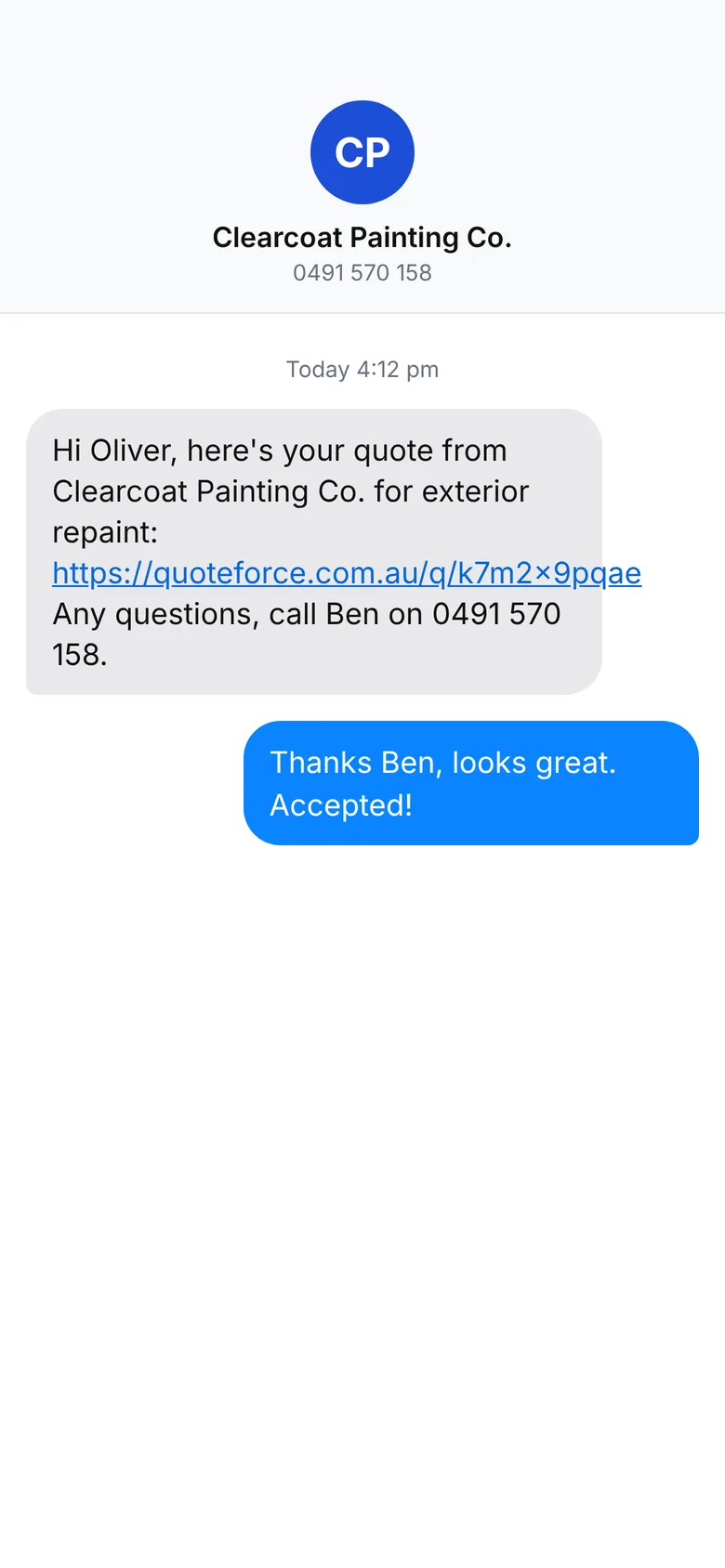
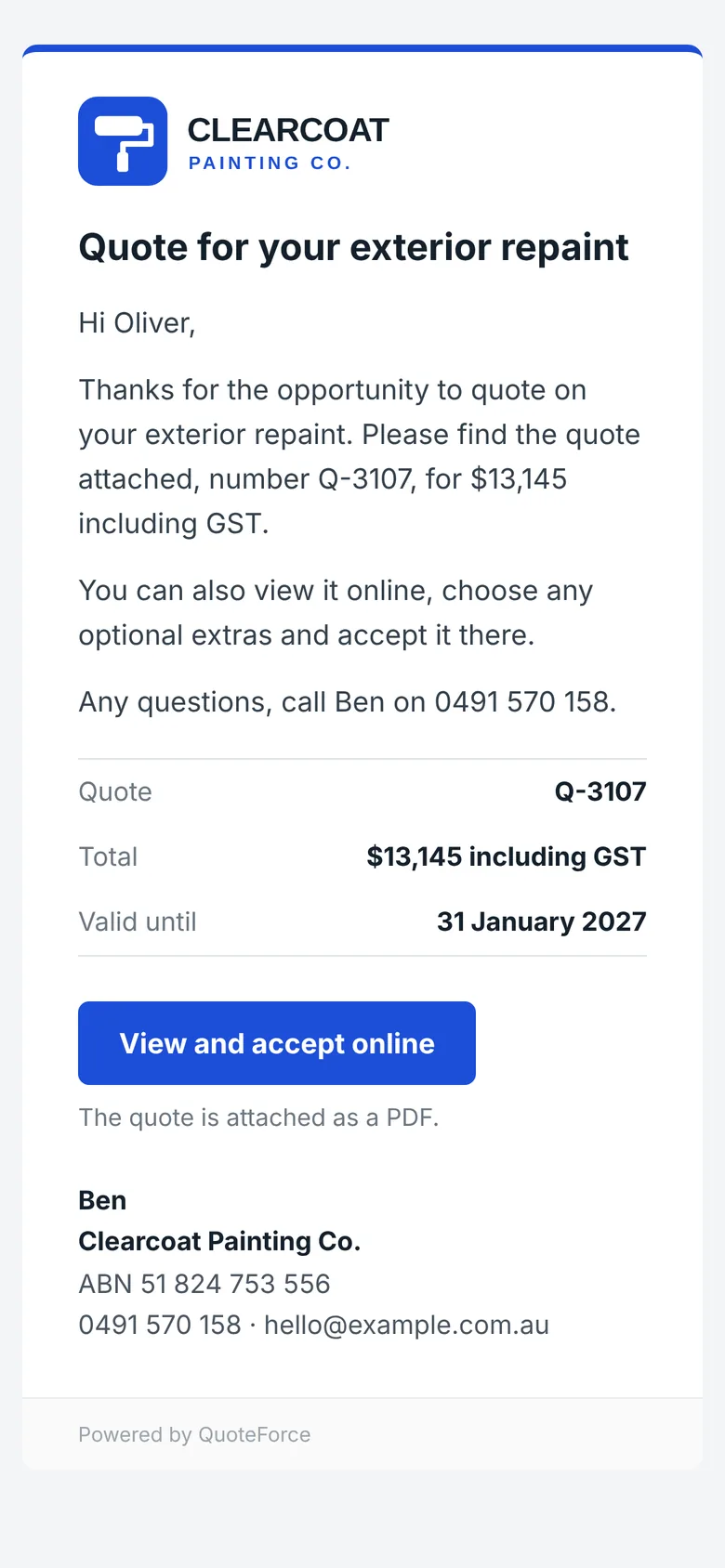
1The text and email arrive
A short text from your business name with a tidy link, and an email with your logo, the total and the PDF copy attached.
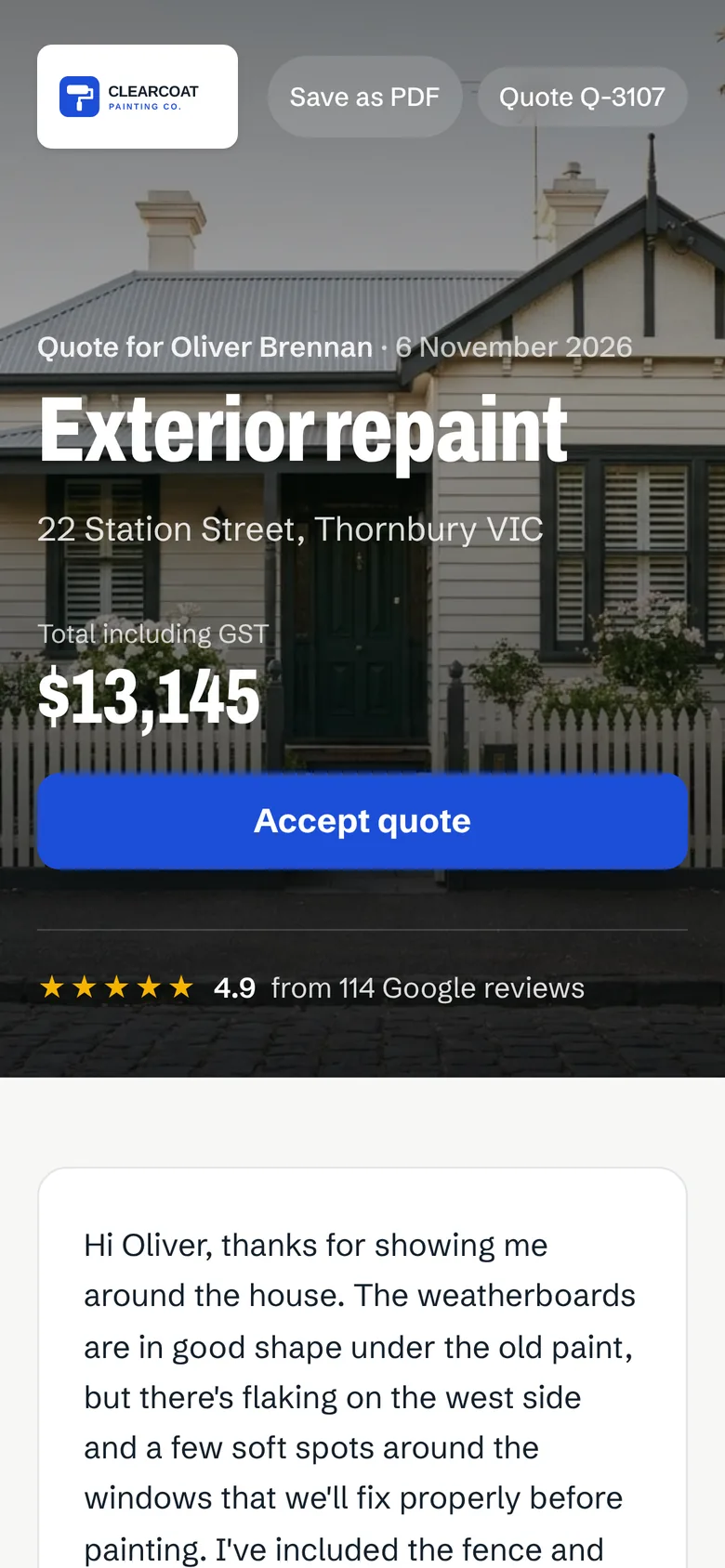
2The link opens their quote page
Not a PDF. It's a page made for phones that sells the job. Their name, the job, the total and an Accept button, over a photo of your work.
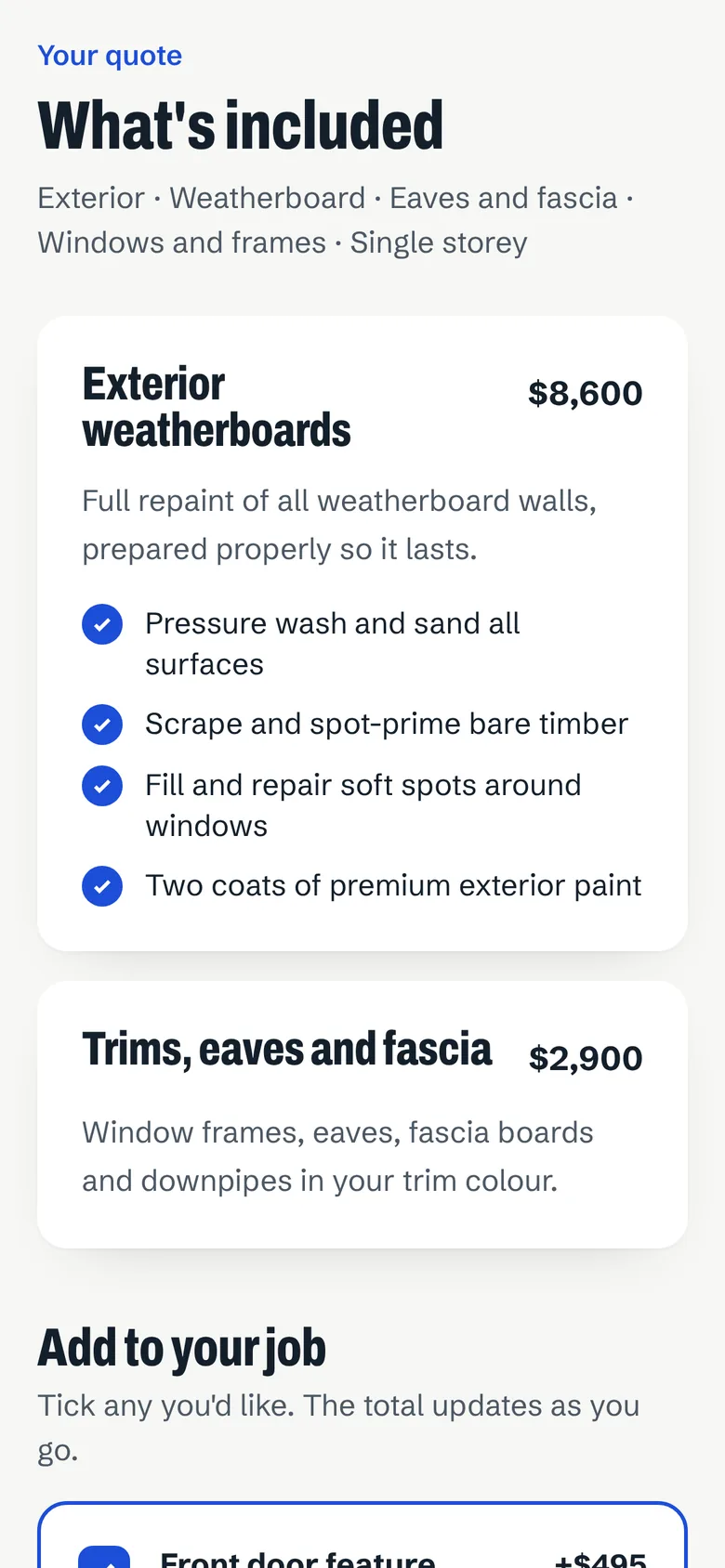
3Your note, and what's included
A personal note in your words, then each item with exactly what's covered. Nothing vague, nothing to argue about later.
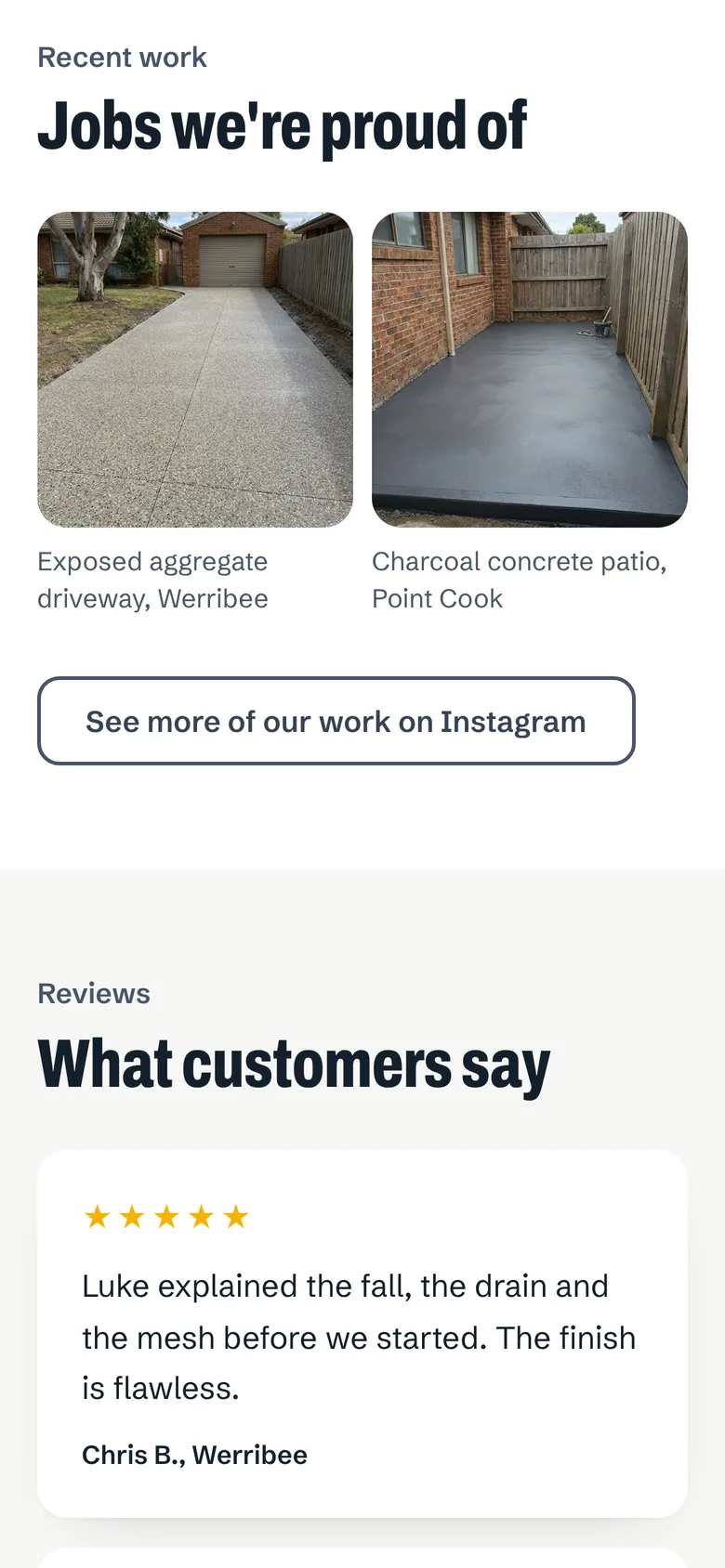
4Your photos and reviews
Photos of your work (plain photos, or before and afters), plus your Google reviews and guarantee.
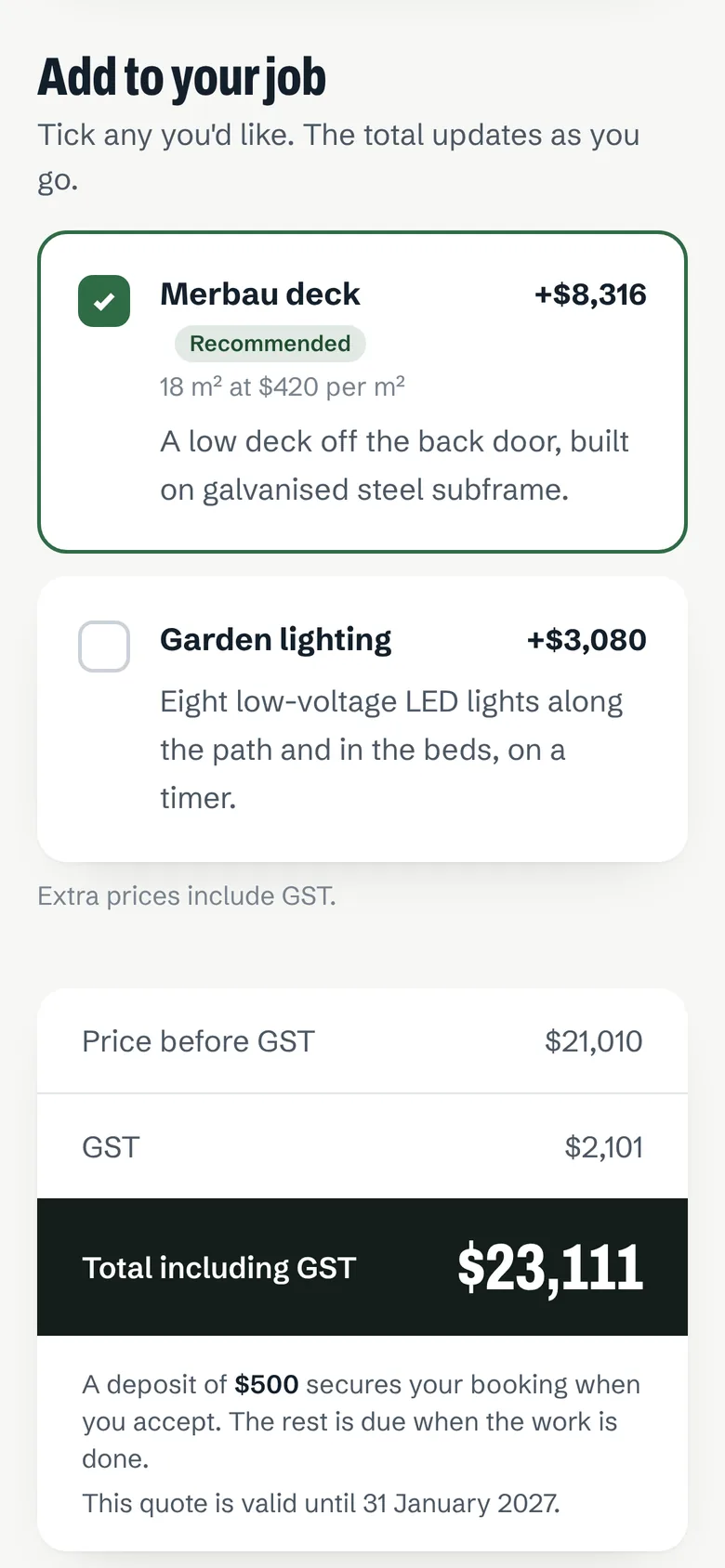
5Extras they can tick
Gutter guard, a feature door, garden lighting. They choose, the total updates as they tick, and you earn more.
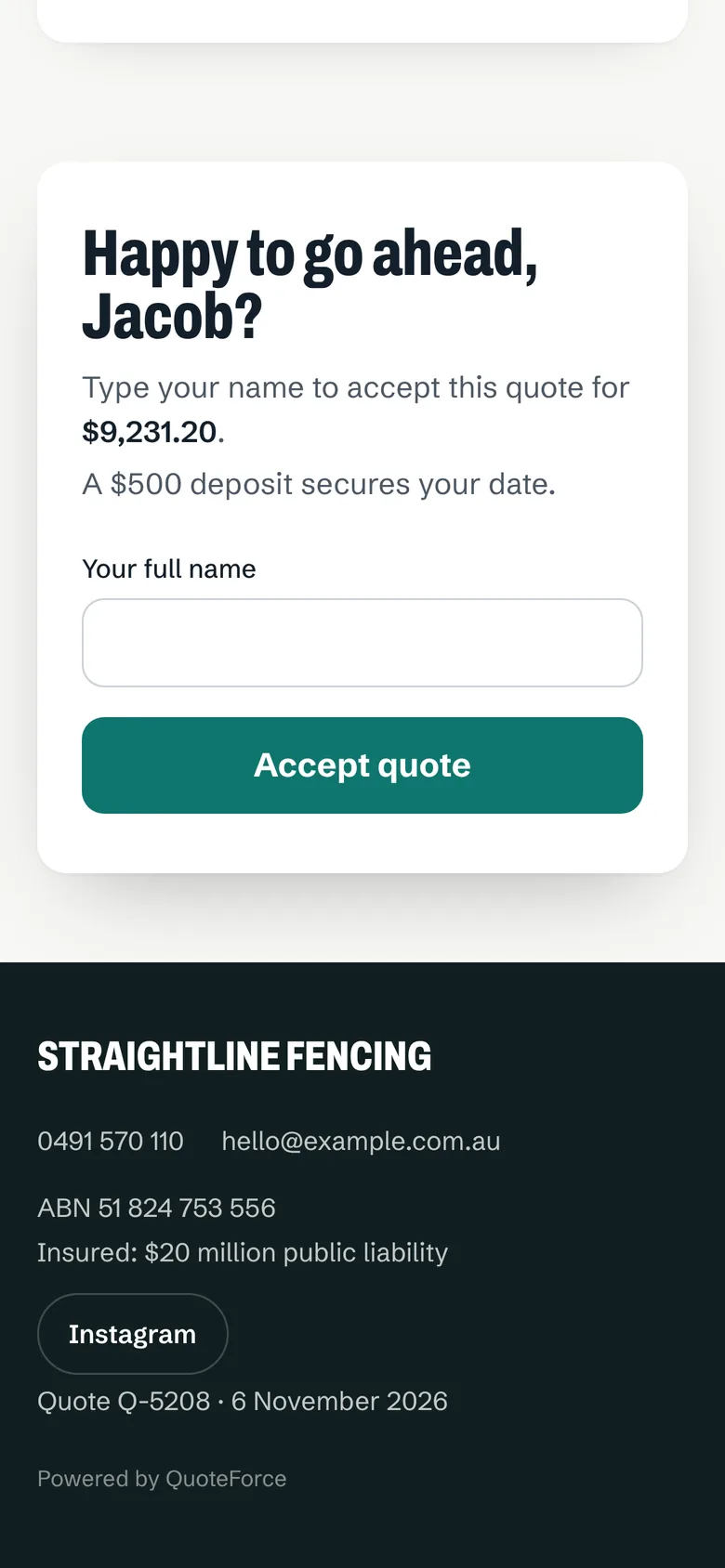
6Yes in two taps
They type their name and tap Accept. If you take deposits, the deposit invoice goes straight to them, and you get a text with the good news.
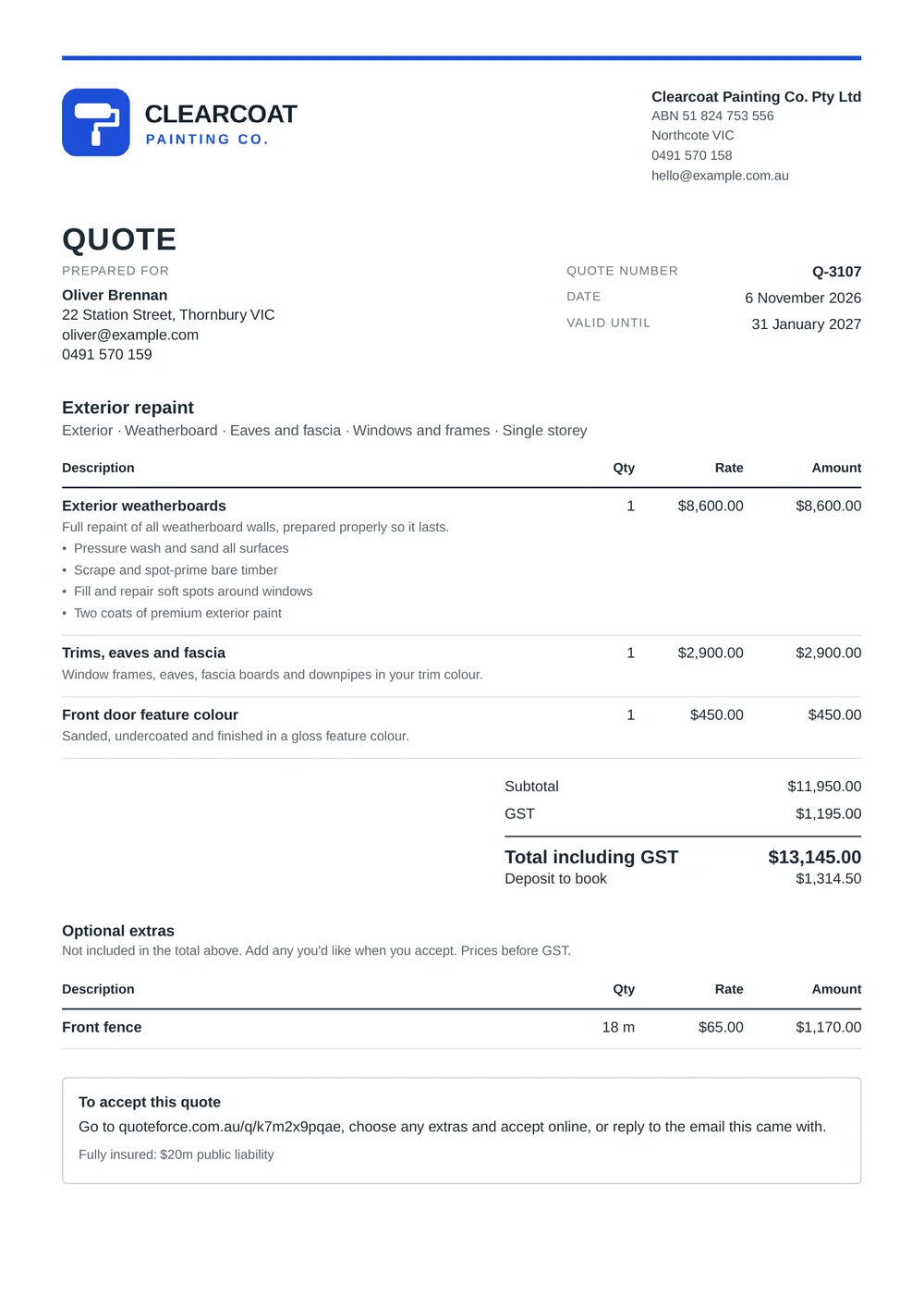
7Plus a PDF copy for their records
The quote page is where they decide and accept. The PDF is the formal copy attached to the email. It's itemised, with your ABN, licence and GST, for their files, their builder or the strata manager. Same quote, same prices.
See it for yourself
Open a full sample quote page on your phone, just as your customer would.
Open a sample quoteOne for your trade
Pictures show sample businesses. Yours use your own logo, colours, photos, reviews and wording.
No more lost jobs
Most jobs aren't lost on price. They're lost to silence.
Sent by text and email
From your business name, and from your own mobile once it's confirmed, so replies come straight to you. Short, tidy links.
Know when it's been seen
Every quote shows Seen with when and how many times, so you know who's keen.
Follow-ups that send themselves
A friendly nudge goes out a few days later if they haven't answered, and stops the moment they say yes or no.
Accept in two taps
Customers accept online, any time, on any phone. No printing, signing or scanning.
Deposit invoice on yes
Optional. If you take deposits ($500, 10% or your own amount), the deposit invoice goes out automatically the moment they accept, and the job lands on your board.
An enquiry form for your website
A link for your site or socials. New enquiries arrive ready to quote in one tap.
Customers pick a time
For trades booked by the hour. Offer two or three times on the quote, the customer picks one when they accept, and it's booked. Taken times are hidden, so no double bookings.
A text the moment they say yes
You hear straight away when a quote is accepted, with the booking if they picked a time, so you can order what you need.
Run the job
Know where every job stands and what it's making.
A jobs board
Every accepted quote lands here as Booked, so you know what work you've got on. Then underway, invoiced and closed, with one-tap call and text.
Your calendar
Every booking by the day or by the time, in a week view. Move or remove a booking in a tap. Connect Google Calendar and bookings appear there instantly, both ways, or add them to your iPhone or Outlook calendar.
Reminders before you arrive
A text and email to the customer a day or two before the booking, so they're home and ready. You choose when, or switch it off.
Your team
Invite workers with their own login. They see the jobs you give them and the calendar, and add photos and costs, but never your settings or money.
Checklists
Safety checks and steps to remember on each job, from your own saved list.
Job costs as you go
On the job, snap the Bunnings receipt, the paint, anything. It reads the supplier, amount and GST and logs it against the job. Labour by worker and hours too.
Budget versus actual
See materials and labour against what you quoted, with a nudge if a job's running over.
Update your customers
Rain delay or a new start date? Text and email every booked customer in one go, and it's saved on each job.
Progress photos for the customer
Snap before, during and after on the job. Send the customer a link and they see every photo on their own page, with your notes.
Extra work the customer approves
Found rotten fascia? Send the extra for approval by text, and it goes on the final invoice once they say yes.
Profit on every job
Profit, GST and tax to put aside, worked out as the costs come in.
Get paid
Invoices out in one tap, money in sooner.
Final invoice in one tap
The work, the extras they chose and any changes, less the deposit and progress claims, as a proper tax invoice and PDF.
Progress claims and retention
Bill a stage as a percentage or an amount, and hold retention until it's due. Purchase order numbers for builders.
Payment terms per customer
7, 14, 30, 45 or 60 days, or end of month, remembered for each builder or customer.
Reminders that send themselves
A friendly reminder before the due date, on the day and a week late, stopping as soon as it's paid.
Part payments
Record payments as they land. Paid in full marks it paid, and the job closes.
Who owes you
Everything owed, split into not due, 30, 60 and 90+ days late, with the late ones by name.
Already use Xero or QuickBooks? Keep it.
No double handling. Ever.
QuoteForce is where you quote and run the job. Xero stays your books. Connect your own Xero once, by logging in and saying yes, and everything you do in QuoteForce is copied into Xero for you.
- You never type it twice. Customers, quotes, invoices and receipts go in automatically.
- Xero stays the record. GST, your BAS and your accountant all keep working from Xero, as normal.
- Use QuickBooks? Connect it the same way. Invoices and job costs go into QuickBooks automatically, and payments come back.
- Neither? No problem. Invoicing is built in, and you can connect either one any time later.
In QuoteForce
1. You send a quote
In your Xero
The same quote is saved in your Xero, under the same customer.
In QuoteForce
2. They accept
In your Xero
The deposit invoice is made in Xero too, if you take deposits.
In QuoteForce
3. You snap a receipt on the job
In your Xero
It goes into Xero as a bill, if you switch that on.
In QuoteForce
4. You invoice the job
In your Xero
The final invoice is made in Xero, less the deposit, with the right GST.
In QuoteForce
5. They pay and you reconcile in Xero
In your Xero
QuoteForce picks it up and marks the invoice paid, so you can see who's paid.
Run the business
The money side, without the spreadsheet.
Connects to Xero and QuickBooks
Invoices and job receipts go straight into your own Xero or QuickBooks automatically, and payments come back so you can see who's paid. With Xero, quotes go in too. No double handling.
GST and tax to put aside
Each quarter you see money in, costs, profit, GST and tax to set aside, and what's yours to keep, with the BAS due date. A planning guide, not tax advice.
Super to put aside
Optional super for your workers and yourself, shown with GST and tax.
Google reviews on autopilot
A review request goes out a couple of days after the final invoice, so the reviews keep coming without the awkward ask.
Your customers in one place
Everyone you've quoted or worked for, with their quotes, jobs and what you've won, and everything that's happened with them in order.
Repeat work reminders
When a job's due again, like a yearly service or clean, you're reminded to get back in touch.
Optional extras
Switch on quote visits or timesheets in Settings if you need them. Left off, they stay out of your way.
Help when you need it
Ask the built-in helper how to do anything, or ask a person.
On your phone like an app
Add it to your home screen. Works on any phone, tablet or computer.
Your data is yours
Download your quotes, jobs, invoices and costs as spreadsheets any time. GST-free mode for businesses not registered.
$49 a month + GST. Everything included.
Texts and emails to your customers included. No lock-in, cancel any time.